Read, annotate, and manage PDFs on iPhone.
Import documents, search with OCR, annotate pages, and ask AI about your PDFs — all in one native iOS app.

Experience
Everything you need for PDFs on iOS
Features
Powerful features
AI PDF Assistant
Summarize documents, ask questions, and get answers with page references.
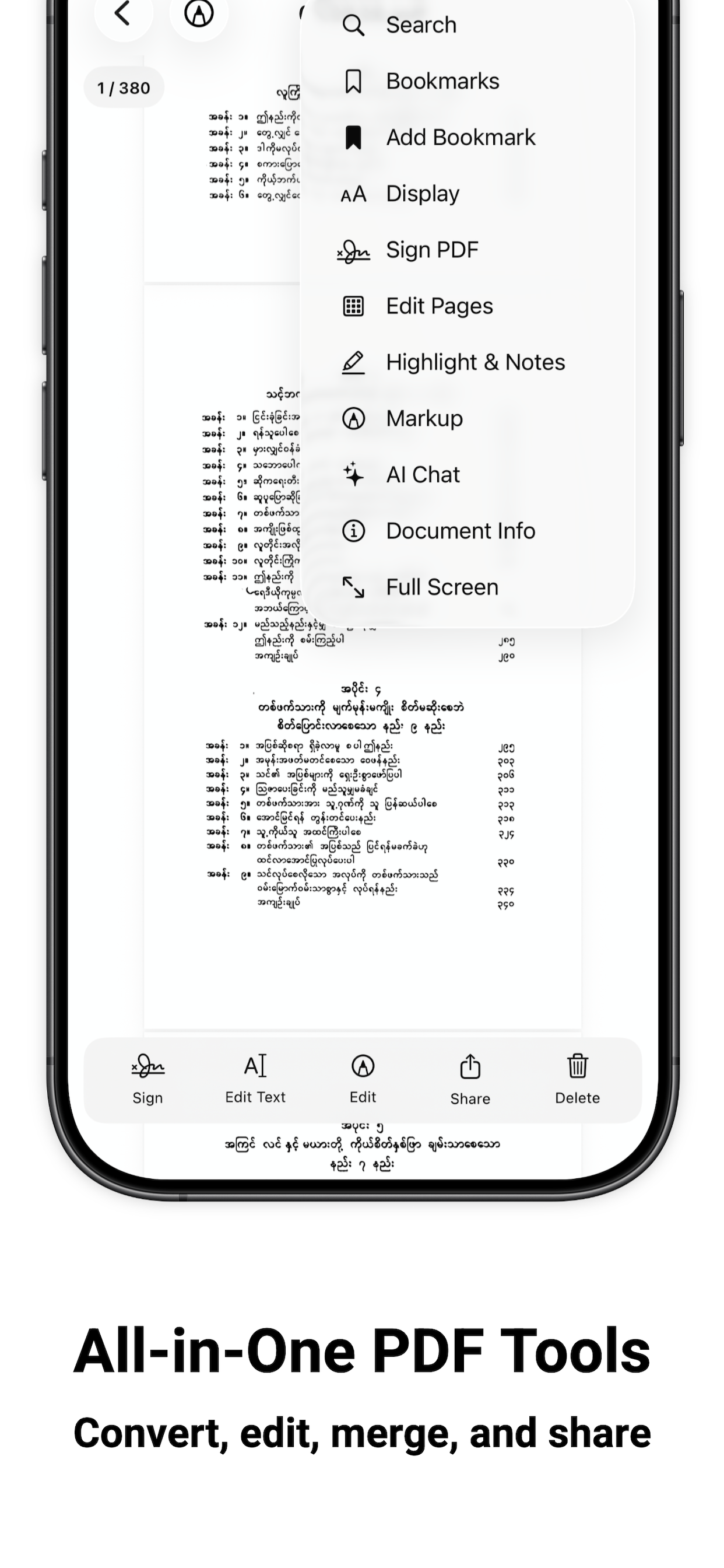
All-in-One PDF Tools
Convert files, edit pages, merge, split, highlight, and share from one app.
Benefits
It does a lot of things
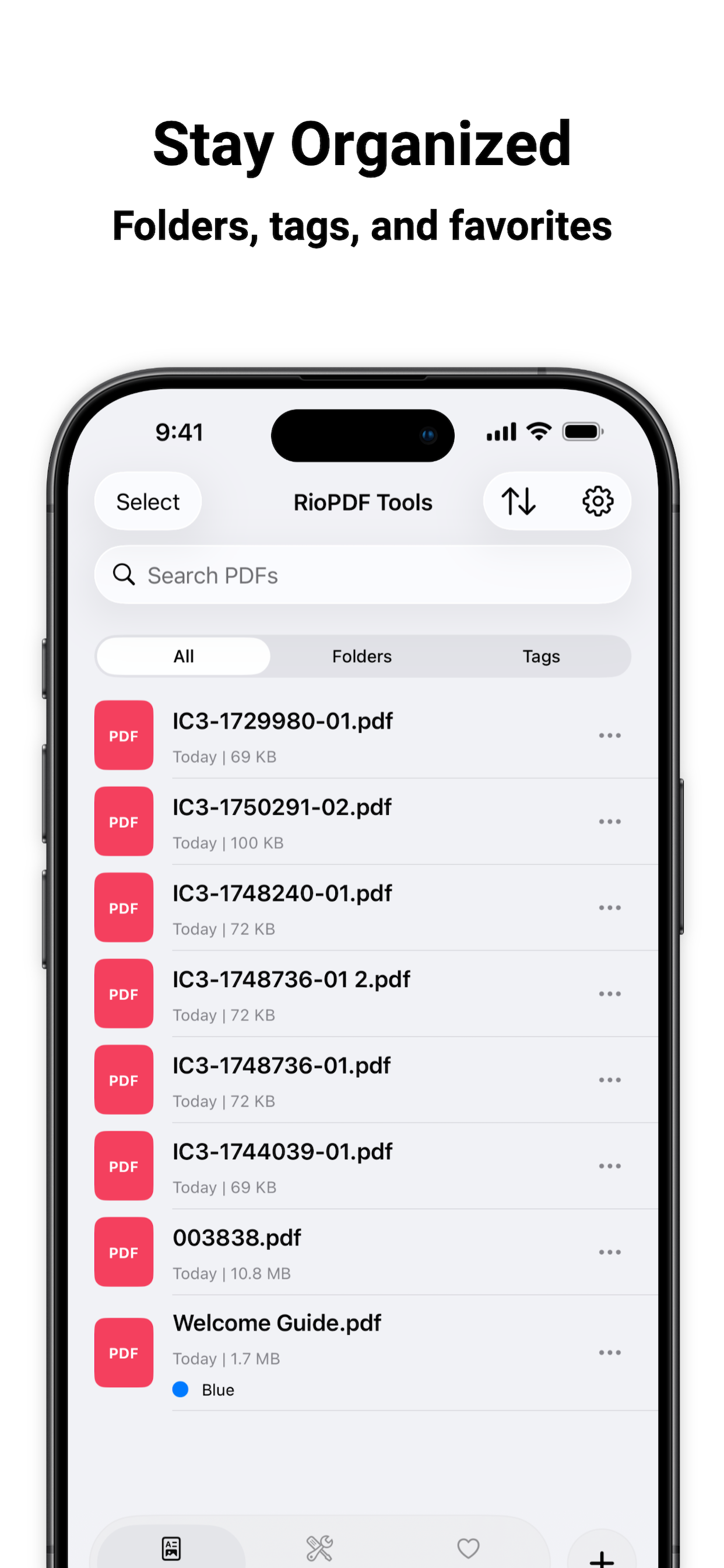
Stay Organized
Use folders, iOS-style tags, and favorites to keep your PDF library tidy.
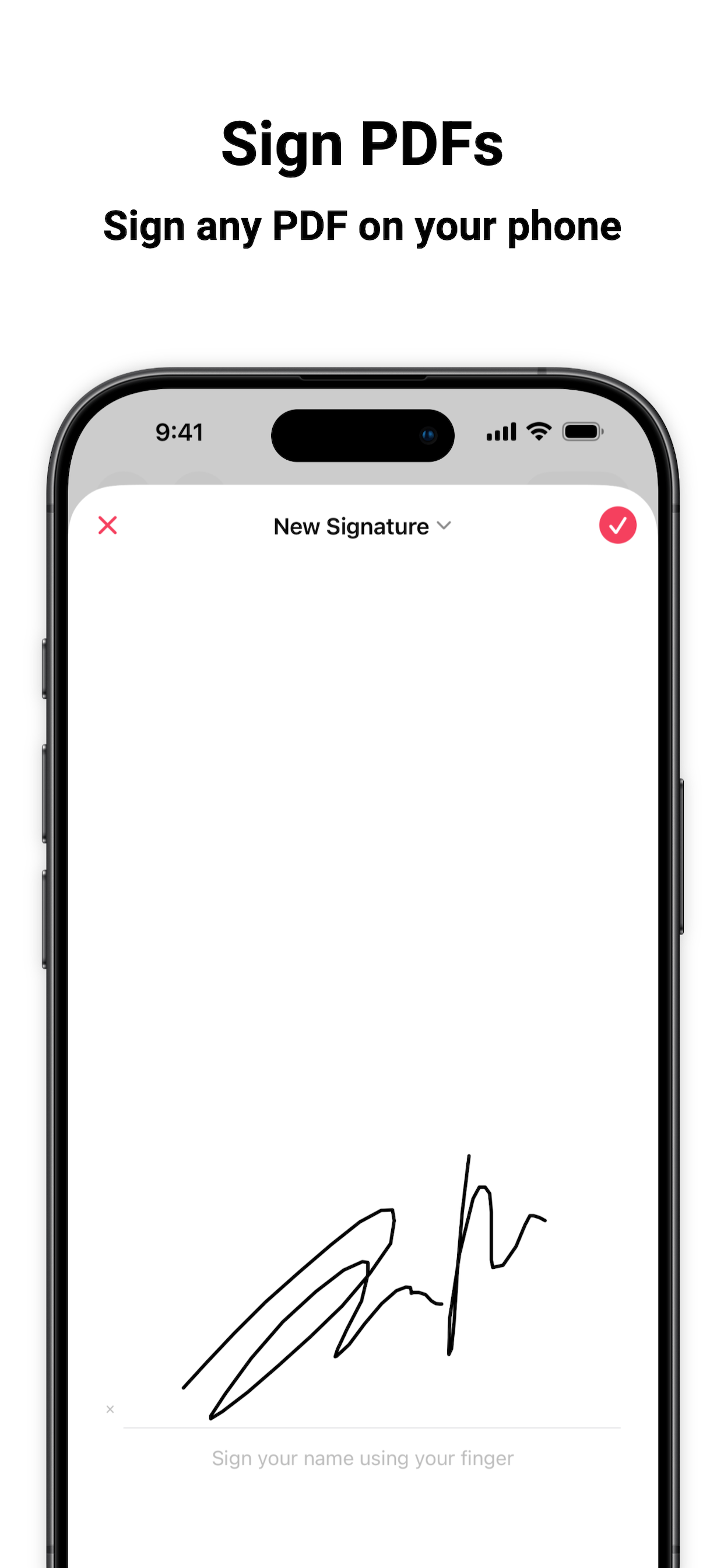
Sign PDFs
Draw once and place your signature anywhere on a document.
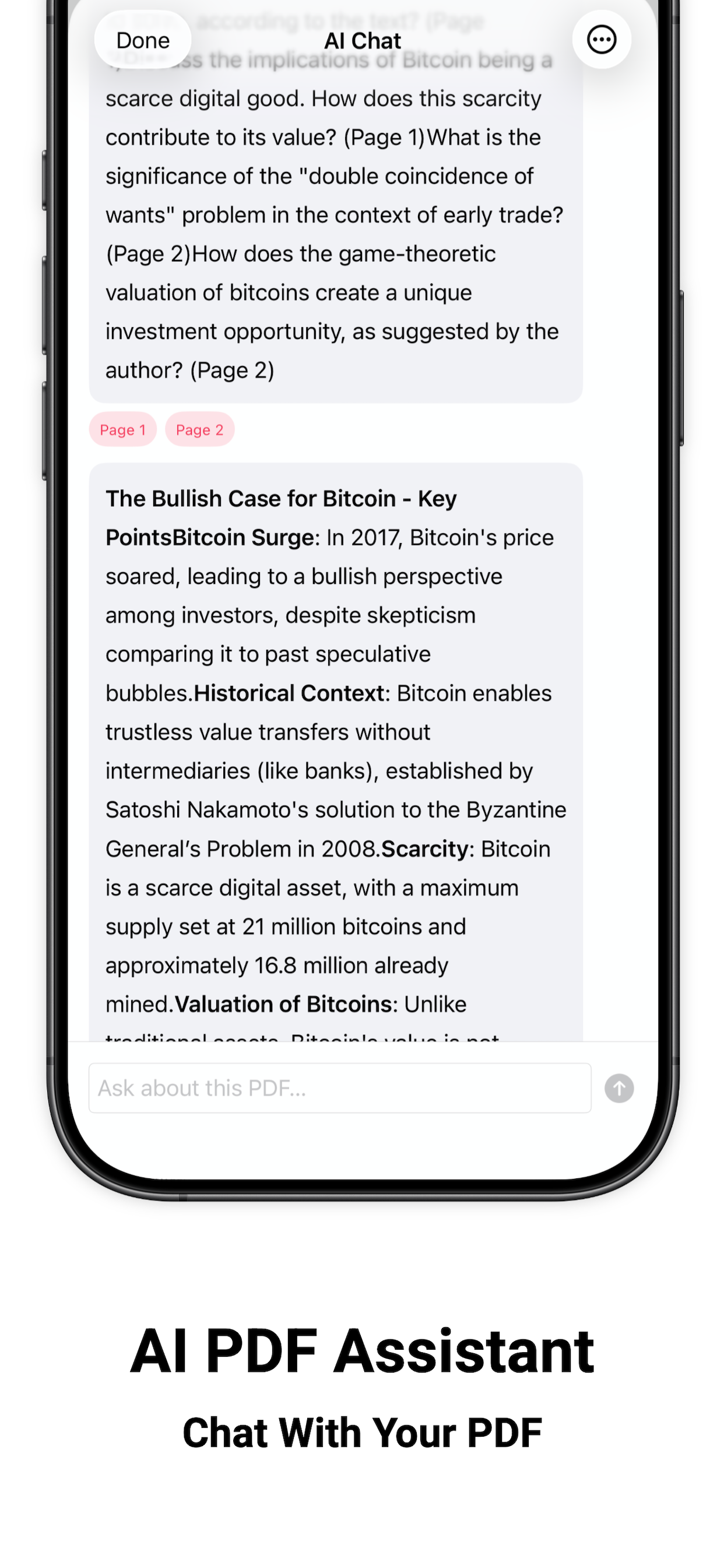
AI PDF Assistant
Chat with your PDF and get summaries with cited page numbers.
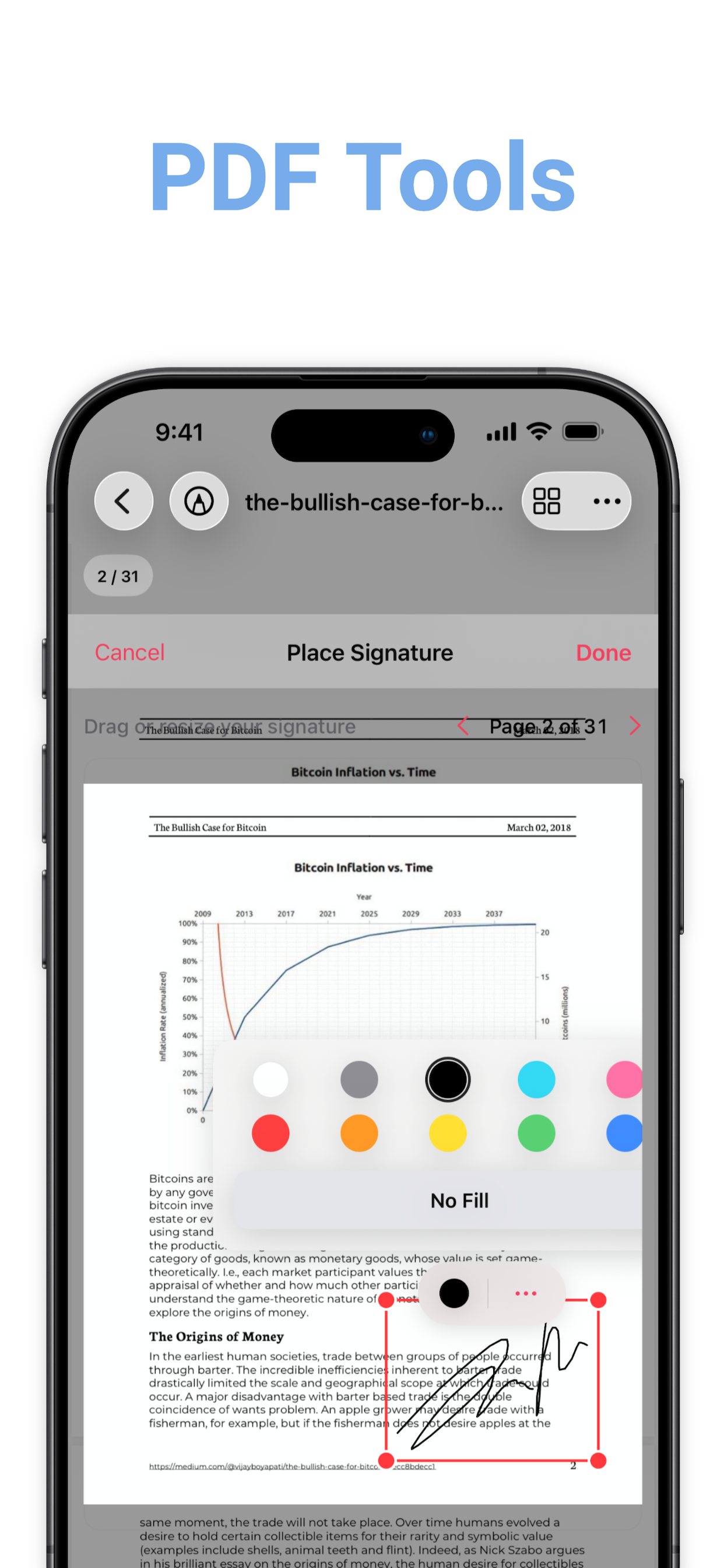
PDF Tools
Search, bookmark, annotate, edit pages, sign, and share without leaving the app.
Benefits
What you can do with RioPDF Tools
Place signatures anywhere on the page with drag-and-resize controls.
Sign any PDF on your phone with a saved handwritten signature.
Chat with your PDF and get summaries with page references.
Convert, edit, merge, and share PDFs from one tools menu.
Organize your library with folders, tags, and favorites.
Features
Powerful features
Smooth PDF Reading
Continuous scrolling, pinch zoom, thumbnails, bookmarks, and full-screen reading.
Learn more >Annotations
Highlight, underline, draw, add notes, and sign documents directly on the page.
Learn more >Testimonials
What our users say

Alice Johnson
Graduate Student
Finally a PDF app that feels native on iPhone. Reading and search are fast.

Bob Brown
Attorney
The annotation tools are exactly what I needed for reviewing contracts on the go.

Charlie Davis
Small Business Owner
OCR turned my scanned receipts into searchable documents in minutes.

Diana Evans
Research Analyst
AI summaries save me hours when reviewing long research papers.

Ethan Ford
Operations Manager
Signing PDFs on my phone is now quicker than printing and scanning.

Fiona Grant
Office Administrator
Merge and split tools replaced three separate apps for me.
Pricing
simple pricing
Free
Everything you need to start reading
Premium
Unlock the full PDF toolkit
FAQ
Frequently Asked Questions

@alice
Reading PDFs on my phone finally feels smooth and fast.

@bob
Annotations and signatures replaced my print-and-scan workflow.

@carla
OCR made my scanned documents searchable in seconds.
@alice
Reading PDFs on my phone finally feels smooth and fast.
@bob
Annotations and signatures replaced my print-and-scan workflow.
@carla
OCR made my scanned documents searchable in seconds.
@alice
Reading PDFs on my phone finally feels smooth and fast.
@bob
Annotations and signatures replaced my print-and-scan workflow.
@carla
OCR made my scanned documents searchable in seconds.

@dan
AI summaries help me get through long reports much faster.

@ella
Merge and split tools are built in — no extra apps needed.

@frank
The native iOS feel is exactly what I wanted from a PDF app.
@dan
AI summaries help me get through long reports much faster.
@ella
Merge and split tools are built in — no extra apps needed.
@frank
The native iOS feel is exactly what I wanted from a PDF app.
@dan
AI summaries help me get through long reports much faster.
@ella
Merge and split tools are built in — no extra apps needed.
@frank
The native iOS feel is exactly what I wanted from a PDF app.
@alice
Reading PDFs on my phone finally feels smooth and fast.
@bob
Annotations and signatures replaced my print-and-scan workflow.
@carla
OCR made my scanned documents searchable in seconds.
@alice
Reading PDFs on my phone finally feels smooth and fast.
@bob
Annotations and signatures replaced my print-and-scan workflow.
@carla
OCR made my scanned documents searchable in seconds.
@alice
Reading PDFs on my phone finally feels smooth and fast.
@bob
Annotations and signatures replaced my print-and-scan workflow.
@carla
OCR made my scanned documents searchable in seconds.
@dan
AI summaries help me get through long reports much faster.
@ella
Merge and split tools are built in — no extra apps needed.
@frank
The native iOS feel is exactly what I wanted from a PDF app.
@dan
AI summaries help me get through long reports much faster.
@ella
Merge and split tools are built in — no extra apps needed.
@frank
The native iOS feel is exactly what I wanted from a PDF app.
@dan
AI summaries help me get through long reports much faster.
@ella
Merge and split tools are built in — no extra apps needed.
@frank
The native iOS feel is exactly what I wanted from a PDF app.
@alice
Reading PDFs on my phone finally feels smooth and fast.
@bob
Annotations and signatures replaced my print-and-scan workflow.
@carla
OCR made my scanned documents searchable in seconds.
@alice
Reading PDFs on my phone finally feels smooth and fast.
@bob
Annotations and signatures replaced my print-and-scan workflow.
@carla
OCR made my scanned documents searchable in seconds.
@alice
Reading PDFs on my phone finally feels smooth and fast.
@bob
Annotations and signatures replaced my print-and-scan workflow.
@carla
OCR made my scanned documents searchable in seconds.
@dan
AI summaries help me get through long reports much faster.
@ella
Merge and split tools are built in — no extra apps needed.
@frank
The native iOS feel is exactly what I wanted from a PDF app.
@dan
AI summaries help me get through long reports much faster.
@ella
Merge and split tools are built in — no extra apps needed.
@frank
The native iOS feel is exactly what I wanted from a PDF app.
@dan
AI summaries help me get through long reports much faster.
@ella
Merge and split tools are built in — no extra apps needed.
@frank
The native iOS feel is exactly what I wanted from a PDF app.
Read smarter. Annotate faster.
Download RioPDF Tools free on iPhone. Upgrade anytime for AI and advanced tools.
Download on the App Store